Know what you're holding.
TreasureHunt is a thrift scanner and resale map for people who buy to resell. Scan a find in the aisle, see what it is and what to check, then plan your next run.
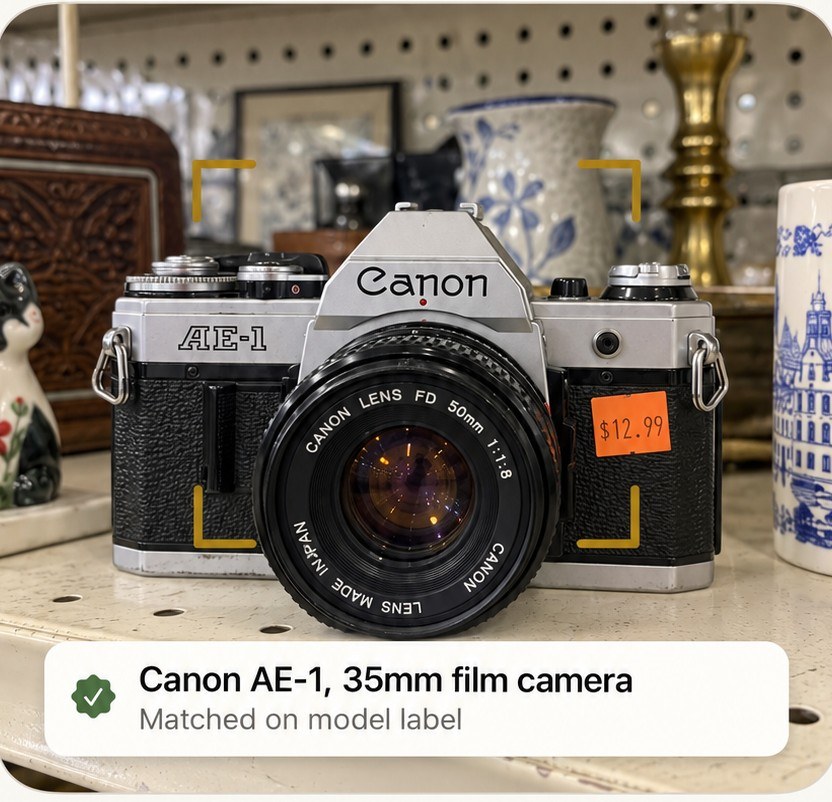
A few photos. The details that matter.
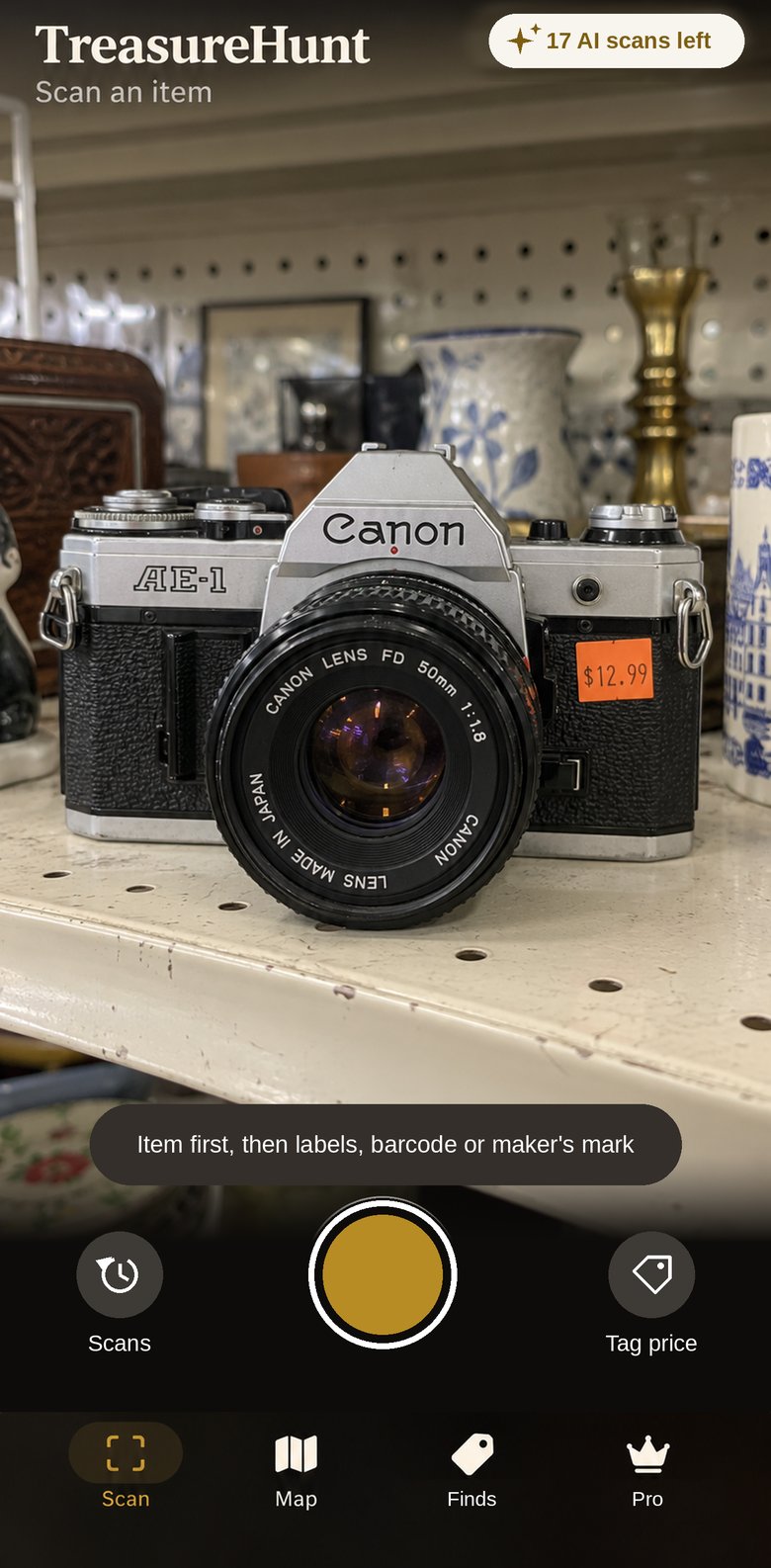
Snap the item, then its labels, barcode or maker's mark. TreasureHunt reads barcodes and labels right on your iPhone, then identifies the item and tells you what that identification is based on.
What it is, and how sure
Each result says what it matched on: a barcode, a model label, a maker's mark, or looks alone. When it isn't sure, it asks for the one close-up that would settle it.
What to check before you buy
Does the shutter fire, is the lens hazy, is the lid chipped. You get the checks a photo can't answer, specific to the item.
No made-up prices
TreasureHunt doesn't guess a price. You get the item, the checks, one-tap searches of eBay sold listings and other marketplaces, and a calculator that turns the real prices you find into your max buy, net and ROI.
35mm film camera, early 1980s
Check before buying
- Shutter fires at every speed
- Haze or fungus in the lens
- Light seals are intact
See what's listed on eBay right now, check sold prices, and get a call from your own numbers: tag price, fees, shipping and the profit you want.
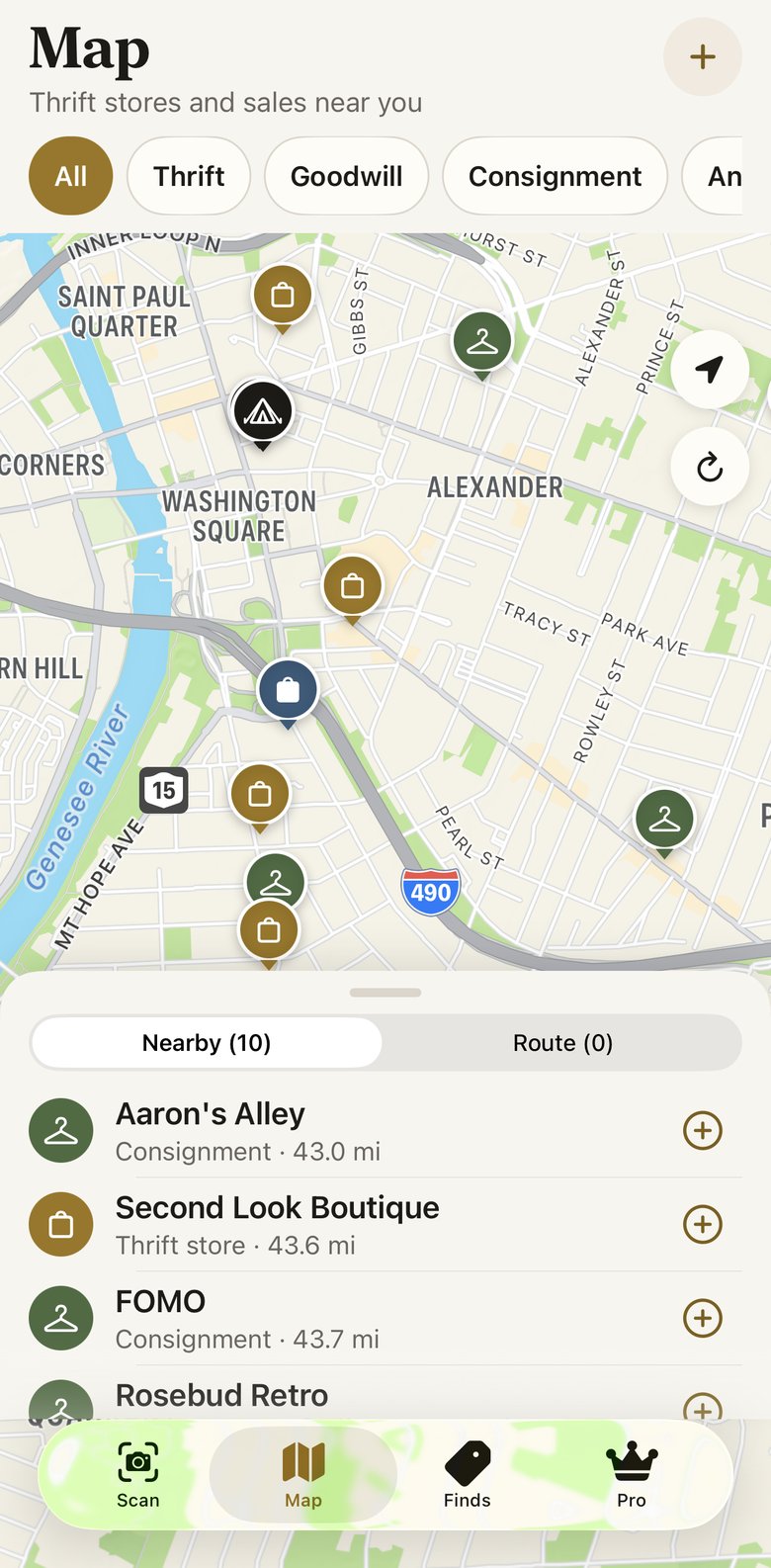
Every thrift stop on one map.
Goodwill and Goodwill Outlets, Salvation Army, Savers, St. Vincent de Paul, Habitat ReStore, local charity shops, consignment and antique stores, plus estate and garage sales.
Add the stops you want and TreasureHunt puts them in the shortest order, with real drive times. Know a shop that's missing? Add it from the map, and it shows for everyone once it's checked.
Every buy, listing and sale, kept.
Scans save on your iPhone the moment you take them, even with no signal. Mark what you bought, where you listed it and what it sold for.
Finds keeps a running ledger for each item, with fees, shipping and returns, and shows your profit for the month. Each item gets its own SKU and bin location, so you can find it when it sells.
When it's time to list, TreasureHunt writes the listing for you: a title, description and condition that fit eBay, Poshmark, Mercari, Depop, Facebook Marketplace or Etsy. It never says something works unless you checked it, and it shows a short list of what to confirm before you post.
Turn the photos you already took into clean listing photos: white, cream or black background, square or 4:5, flaws left visible. Share them straight into any marketplace app.
Example figures+$32.60
Free to start. Pro when you're scanning every week.
Free
$0
- 3 AI scans a month
- 2 listing drafts a month
- The full store map and route planner
- Finds ledger, listing photos and every scan you've taken
Pro
$34.99 a year, about $2.92 a month
or $5.99 a month
- 40 AI scans a month
- Unlimited listing drafts
- Barcode reads, close-up retakes and marketplace searches never use a scan
- Billed through Apple. Cancel anytime in Settings.
Need more in a busy month? Add a 25-scan pack, on Free or Pro. It's a one-time purchase, pack scans don't expire, and they're used after your monthly ones.
Support
Questions, a store that's wrong on the map, or something not working: email and you'll hear back from the person who builds the app.
Where do my photos go?
Scans are saved on your iPhone. When you ask TreasureHunt to identify an item, a smaller copy of up to four photos, plus any barcode or label text, goes to our server and on to Anthropic's Claude to identify it. We don't keep the photos on our server. The privacy policy has the details.
Can it write my listings?
Yes. From a scan, tap Write listing and pick the marketplace. On iPhones with Apple Intelligence the draft is written on your iPhone; otherwise the item details you confirm (never your photos) go to our server and Claude. Free includes 2 drafts a month; Pro is unlimited. You copy or share the listing yourself, so nothing is posted for you.
Can I use it from the camera with Visual Intelligence?
Yes, on iPhones with Apple Intelligence. Open Visual Intelligence, point at the item, and choose TreasureHunt to look it up in the app.
Does it tell me what something is worth?
It tells you what the item is, what that's based on, and what to check, then takes you straight to sold listings on eBay, Poshmark and Mercari so you can see real prices. Enter what you expect it to sell for and TreasureHunt works out your max buy, net and ROI. It doesn't invent a price.
Does it work without signal?
Yes. Scans save offline and identify on their own when you're back online. The map and route need a connection to load stores.
A store is missing or closed. How do I fix it?
On the map, tap the plus button to add a missing store, or open a store and tap Report. Reports from two different people hide a closed store for everyone.
How do I cancel a subscription?
Subscriptions are billed through Apple. Open Settings on your iPhone, tap your name, then Subscriptions. Cancel at least 24 hours before renewal to avoid the next charge.
How do I delete my account?
Use the delete option in Account & settings on the Pro tab, or email the address on this page and we'll delete it for you.